Docker Finally Clicked for Me (And Why It Might for You Too)
I avoided Docker for way too long. Every time someone mentioned it, my brain just went "containers, virtualization, complicated deployment stuff I don't need right now." Then I joined a team where everyone used it, and I spent 3 days trying to get their app running locally. Three. Days.
My teammate finally said, "Just run docker compose up." Two minutes later, everything was working. Database, API, frontend, background jobs—all running perfectly. I felt like an idiot, but also... impressed?
Here's what I wish someone had explained to me about Docker from the beginning.
The "It Works on My Machine" Problem
You know how setting up a project on a new machine is always an adventure? Install Node 16, not 18. This specific version of PostgreSQL. These environment variables. Oh, and you need this Python thing for some reason even though it's a JavaScript project.
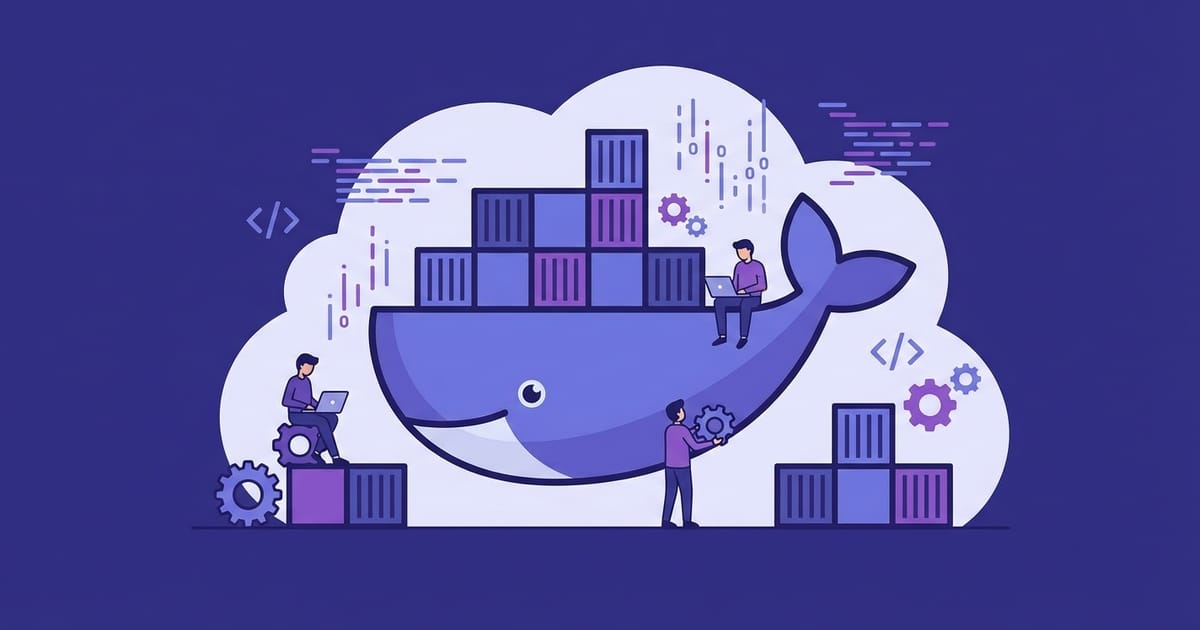
Docker solves this by packaging your entire environment—OS, language runtime, dependencies, configuration files—into a portable box called a container. Same container runs identically on your laptop, your teammate's Windows machine, and production servers. No more "works on my machine" shrugs.
Think of it like shipping actual goods. Instead of sending loose parts and hoping they arrive safely, you pack everything into a standardized shipping container. Docker does the same thing for software.
The Basic Building Blocks
Docker has a handful of concepts that confused me initially, but they're actually pretty logical:
Images are like templates or blueprints. Think of them as saved snapshots of a configured environment—Ubuntu with Node.js installed, your app code copied over, dependencies installed. Images don't run; they're static.
Containers are running instances of images. You can spin up multiple containers from the same image, just like creating multiple virtual machines from the same template.
Dockerfiles are recipe files that tell Docker how to build an image. "Start with Ubuntu, install Node.js, copy my app code, install dependencies, set the startup command."
That's really the core of it. Everything else builds on these concepts.
Your First Dockerfile (That Actually Makes Sense)
Here's a Dockerfile for a typical Node.js app that I'll walk through line by line:
FROM node:20-alpine
WORKDIR /app
COPY package*.json ./
RUN npm install
COPY . .
EXPOSE 3000
CMD ["npm", "start"]
FROM node:20-alpine - Start with a pre-made image that has Node.js 20 installed on Alpine Linux (a tiny Linux distro). Someone else already figured out how to install Node properly.
WORKDIR /app - Set the working directory inside the container. Like doing `cd /app` but for Docker.
COPY package*.json ./ - Copy just the package files first. This is important for caching—if your dependencies don't change, Docker can reuse this step instead of reinstalling everything.
RUN npm install - Install dependencies inside the container.
COPY . . - Now copy the rest of your app code.
EXPOSE 3000 - Document that this container will listen on port 3000. Doesn't actually publish the port, just documents it.
CMD ["npm", "start"] - What command to run when the container starts.
The order matters because Docker caches each step. If you change your app code but not your dependencies, Docker only rebuilds from the `COPY . .` step onward. Smart.
Docker Compose: Where It Gets Really Useful
Real apps need databases, maybe Redis, maybe a background job processor. Docker Compose lets you define your entire stack in one YAML file:
services:
  app:
    build: .
    ports:
      - "3000:3000"
    volumes:
      - .:/app
      - /app/node_modules
    depends_on:
      - db

  db:
    image: postgres:16
    environment:
      POSTGRES_DB: myapp
      POSTGRES_PASSWORD: devpassword
    volumes:
      - pgdata:/var/lib/postgresql/data
    ports:
      - "5432:5432"

volumes:
  pgdata:
Run `docker compose up` and boom—your app and a PostgreSQL database start together. The networking is configured automatically so your app can connect to the database using just `db` as the hostname.
The volumes section is crucial. Without `pgdata:/var/lib/postgresql/data`, your database data disappears every time you restart the containers. Nobody wants to lose their development data to a Docker restart.
Development Workflow Tips That Actually Work
Hot reloading - The `- .:/app` volume mount maps your local code directory into the container. Combined with nodemon or Vite, changes in your editor show up immediately in the running container. No rebuilding, no restarting.
Don't commit your .env files - Docker Compose automatically loads `.env` files in your project root. Perfect for database passwords and API keys that shouldn't be in Git.
Use .dockerignore - Create a `.dockerignore` file (like `.gitignore` but for Docker) to exclude `node_modules`, `.git`, and other large directories from being copied into your image. Makes builds way faster.
Production-Ready Images
Development containers can be bloated with dev tools and source code. Production needs lean, fast images. Multi-stage builds solve this:
FROM node:20-alpine AS builder
WORKDIR /app
COPY package*.json ./
RUN npm ci
COPY . .
RUN npm run build

FROM node:20-alpine
WORKDIR /app
COPY --from=builder /app/dist ./dist
COPY --from=builder /app/package*.json ./
RUN npm ci --production
USER node
EXPOSE 3000
CMD ["node", "dist/index.js"]
First stage builds your app with all the dev dependencies. Second stage copies only the built output and production dependencies. Result: tiny images that start fast and have minimal attack surface.
The `USER node` line is important—don't run your app as root inside containers. Security 101.
Common Mistakes I Made (So You Don't Have To)
Massive images - My first Docker image was 1.2GB because I used the full Ubuntu base image and didn't optimize anything. Alpine-based images and multi-stage builds got it down to 89MB.
No layer caching strategy - I was copying all my code before installing dependencies, so every code change triggered a full dependency reinstall. The package.json trick above fixes this.
Running everything as root - Seemed easier until security became a concern. Always add a `USER` directive for non-root execution.
Forgetting data persistence - Lost my development database about 5 times before I figured out named volumes. Learn from my pain.
When NOT to Use Docker
Look, Docker isn't magic. If you're building a simple single-page app with no backend services, Docker might be overkill. The complexity cost isn't always worth it.
But if you're working with a team, using multiple services, or constantly onboarding new developers, Docker pays for itself immediately. New team member can run `git clone` followed by `docker compose up` and be productive in minutes instead of days.
Start simple. Get comfortable with `docker compose up` for your development environment. Once that feels natural, explore production deployments. The learning curve is steep initially, but the payoff is huge.